The Top 8 Ways Human Error is Putting Your Cybersecurity at Risk

When you think about cybersecurity, you probably picture antivirus software, password protectors and multifactor authentication.

All of these things are important, but they’re not as important as correct employee training.

Each of your employees has the power to accidentally make your business vulnerable through one mistake. So you need to ask yourself, how cyber-aware is your team and how long before an accidental breach impacts your business?

Read on to learn the top 8 ways human error is putting your cybersecurity at risk.

What is Human Error in Cybersecurity?

Human error in cybersecurity refers to the mistakes people make that can lead to data breaches or their security being compromised.

For example, an employee may fail to update software, be tricked by a phishing attack, or click a suspicious link. Human error can lead to catastrophic consequences like financial losses and reputational damage, especially for small businesses.

How Common are Human Error Breaches?

Deloitte recently released their Future of Cyber 2023 report which revealed some startling cybersecurity statistics.

They found that 95% of all cybersecurity events involved some degree of human error. This can range from sharing sensitive information on public networks to clicking on a suspicious link.

While 95% is a scary number, it also means by professionally training your team to avoid human error breaches, you could make your business 95% safer!

The Top 8 Ways Human Error is Putting Your Cybersecurity at Risk

1. Phishing Scams

Phishing scams are when a hacker tries to manipulate you or one of your employees using social engineering. In this case, they use fake emails, SMS messages, phone calls etc to trick you into giving them access, information or money.

While you might think you’d never give a stranger your details, phishing scammers are smart and will disguise themselves as people you trust, like friends, your workplace or institutions like your bank.

With the emergence of sophisticated AI software that can help them write convincingly, can alter voices and create images, phishing attacks will become more deceptive in the future, so you need to be wary.

2. Vulnerable Passwords

If you use the same password for everything, that’s bad. If your employees also use the same password, or worse, share a common password, that’s even worse.

Having the same password for everything means a cybercriminal only needs to breach one of your accounts to have access to all of them.

Using simple or common passwords also leaves you vulnerable. People often use passwords that are easy to remember, like their name or birth date, “1234” or “password.” The problem is, these kinds of passwords are also really easy for hackers to guess.

Using strong, unique passwords and changing them regularly is important if you want to prevent data breaches. Just remember, when you’re part of a business it isn’t just your password that needs to be strong, it’s the passwords of all your team members as well.

A table showing how long it takes for a hacker to reveal different lengths of passwords

3. Sharing Sensitive Information

No matter how well you protect your business information with systems, poorly trained employees can still unwittingly share sensitive information.

Details like passwords or financial information can be shared through unsecure channels. For example, an employee with a compromised mobile device might message a password to their colleague, and this password will be intercepted by a hacker.

These seemingly small acts of defying cybersecurity best practice can have devastating consequences for your business, so it’s vital you make sure your team is well-trained.

4. Out-of-Date Software

All your work devices should be set to automatically update, but if your employees sometimes use personal devices for work, they may have out-of-date software.

Outdated software can leave systems vulnerable to cyberattacks. Hackers exploit known vulnerabilities in software that hasn’t been updated. This is such a common form of attack that cybercriminals have forums to discuss and share the latest exploits.

So make sure every device used in your business, whether supplied by you or your employees, is automatically updating itself.

5. Downloading Malicious Software

Downloading malicious software, known as malware, is like giving cybercriminals direct access to your system.

Malware is usually delivered by tricking a user into accessing it, often by masquerading as an innocent source. Unfortunately, without proper training, your employees may download or click suspicious files and links.

It only takes one person to invite a cybercriminal into your systems, which could cause significant damage to your business’ financial situation and reputation. To help prevent this, limit the permissions for your employees to download and install unapproved applications.

6. Using Public Wifi

After COVID-19, work from home arrangements are commonplace. While this gives your employees flexibility, but it also takes them away from your secure workplace wifi.

Public networks are more vulnerable to being breached, where hackers can intercept the data being transferred.

While it may be tempting for your team to spend part of their work from home day in a cafe, at the very least they need to avoid using public wifi when accessing work financial accounts.

7. Physical Security

Many people forget about physical cybersecurity. While the two terms may sound like they contradict each other, with phones and tablets increasingly being used for work, the danger of a device being lost or stolen has never been higher.

Your employees need to make sure they never leave any device used for work in public places. They should also be in the habit of logging out of secure applications and locking the device when it isn’t attended.

If a device does ever go missing, it is essential that they inform you immediately so passwords can be reset and account activity can be monitored.

8. Lack of Training

By now you’re probably noticing a trend – a lack of education about cybersecurity can lead to a lot of incidents!

The reality is, data breaches occurring because of human error is one of the largest risk factors for businesses today. Employees who aren’t properly trained in cybersecurity best practices can make mistakes that lead to breaches, and as the business owner, it’s your responsibility to ensure they are trained correctly.

Providing professional cybersecurity training is the only way you can help employees identify security threats!

OneCloud IT Solutions

Even if you have a strong cybersecurity awareness, your employees might not. That’s why training your team on proper cybersecurity protocols is essential if you want to protect your business.

At OneCloud IT Solutions, providing cybersecurity for small businesses like yours is our speciality. Not only will we implement the Essential 8, we’ll also train your team to eliminate the risk of human error.

For more information about our service, or to book a consultation, get in touch today.
Tiny Fish in a Big Pond: A Guide to Small Business Cybersecurity

Imagine you’re a tiny fish happily swimming along, and then suddenly a shadow looms over you…

Unfortunately, cybersecurity is even more sinister. You won’t see hackers coming until it’s too late and you’re far more at risk than you realise. 

The truth is, cyber attackers will hack you, it’s only a matter of time…unless you read on and learn small business cybersecurity.

Mythbusting

There are three common myths small business owners tell themselves about cybersecurity – and if you’re one of them your business is at risk. 

Myth 1: You Aren’t a Target

“I’m a small business, the hackers won’t notice me.”

If you’re telling yourself that, you couldn’t be further from the truth!

Cyber attackers aren’t stupid. They hone their skills and tradecraft over the course of years – always evolving to better compromise business owners like you.

Just like any other trade, they start with small jobs and work on their skills. 

Where an electrician might learn to rewire a power point before they learn to rewire a house, a hacker will learn to breach a small business before taking on a larger one. 

You are the power point.

Myth 2: You Haven’t got Anything to Lose

“I’m a small business, I’ve got nothing for them to take.”

There is always something for them to take, and it may not be what you’d expect. 

Cybercriminals are increasingly valuing data and access as highly as money. So even if you don’t have much in the bank for them to steal, they have other ways to steal from you.

If you keep customer or team member records on file, this information is valuable to a hacker. They can use your email accounts in phishing scams to trick your employees or customers, or as part of a larger spam network comprised of other unfortunate small businesses like yours. 

They can also disrupt your service and force you to pay them that way. They’ll lock you out of your own system or files and charge you a ransom to get back in. 

Myth 3: There’s Safety in Numbers

“There are so many businesses out there that the chance of mine being targeted is tiny.”

There’s a lot to be afraid of when you’re a tiny fish in a big pond. That’s why you might think there’s safety in numbers. 

Unfortunately, once again, we’re going to have to disappoint you.

Not every attack is targeted. In fact, many hackers don’t single out individual small businesses, but instead, take advantage of their usually inadequate security to breach huge swathes of them in untargeted attacks. 

Known as bulk campaigning, many cybercriminals will simply send out generic phishing campaigns to as many businesses as possible and rely on the sheer volume to guarantee hits.

Long story short, they aren’t coming after one tiny fish, they’re coming after the whole school!

Why Cyber Attacks are More Devastating for Small Businesses

Now that those myths have been busted, you should be starting to sweat a little – and for good reason!

If you do get targeted, you actually have far fewer options and a lot more to lose than larger businesses. 

You Have Fewer Recovery Options

One of the biggest challenges for small business cybersecurity is your limited resources. 

Unlike large corporations, you likely don’t have a dedicated IT department or the budget to hire outside cybersecurity experts. This can make it more difficult to recover from a cyber attack and get back to business as usual.

To really put this in perspective, 20% of small businesses take more than 30 days to realise they’ve been breached! 

In fact, one Central Coast business lost $40,000 from a single client breach after the hacker had lurked in their system for 120 days!

That’s right, as you’re reading this you may have already suffered a cyberattack! What’s worse, if you have been compromised, the longer you leave it without realising it, the more damage can be done. 

You Have Fewer Financial Reserves

Small businesses tend to have fewer financial reserves than larger ones. This means if a cyber attack does occur, you’ll struggle to cover the costs of repairing the damage. 

If your business operation is completely disrupted, you’ll lose revenue. Plus, the cost of hiring an IT agency will also set you back. If you’re a business that lives week-to-week, or if you’ve already incurred some debt, a cyberattack may cripple your business. 

You’re More Dependant on Your Reputation

Finally, small businesses are often more dependent on their reputation than larger ones. 

Massive companies can have their reputations affected by cyber attacks, but they can usually bounce back because they are benefiting from years of building brand awareness. 

Look at Optus’; even after their catastrophic data breach, millions of Australians are still using their service.

If your small business is hacked, your customers may lose trust in your ability to keep their data safe. Unlike at the top end of the business size scale, at your smaller end, a high-profile catastrophe could cause irreparable damage to your reputation. 

How You Can Protect Yourself

The Essential 8 is a mitigation framework designed by the Australian Cybersecurity Council (ACSC) to protect businesses from cyber attackers. 

The reason it’s ‘essential’ is because it outlines the 8 most essential cyber protections your small business needs to be cyber secure. 

You can read a full overview of the Essential 8 here, which an IT company can install for you. In the meantime, there are two DIY measures you should take today to start protecting your small business.

Multi-Factor Authentication

In modern cybersecurity, relying solely on strong passwords is no longer enough. Multi-factor authentication has become an essential security measure that uses multiple devices to authenticate you, providing an extra layer of protection.

For example, logging into an account on your desktop might require you to enter a code sent to your phone via SMS. To gain access, you need to enter the code into your desktop device, making it more challenging for an attacker to hack into your account. 

Using more layers and different devices increases security. Setting up multi-factor authentication is easy with Microsoft 365, and third-party app providers may support it too.

Email Spam Filter

Receiving spam emails every day is dangerous. These emails often contain malware or phishing scams designed to trick you into compromising yourself. 

They’re also costing you time. One Central Coast business was receiving a large volume of spam emails, meaning they had to devote huge chunks of their day to clearing their inbox!

Simply installing an email spam filter can instantly remove the majority of these emails from your inbox. Shop around online to find a reliable one and it’ll make an overnight difference to your cybersecurity.

OneCloud IT Solutions

Still feeling vulnerable is the big pond you’ve found yourself in? 

There’s one more thing you can do to protect yourself, and that’s getting a bigger one to come and protect you!

At OneCloud IT Solutions, providing cybersecurity for small businesses like yours is our speciality.

Whether it’s implementing the Essential 8 or helping you recover after a breach, we’re here to help!

Get in touch today.

Medical Practice Cybersecurity: Implementing the Essential 8

If you own or work in a medical practice, you might not realise that you are a high-value target for cyber criminals. 

More than anything, cyber attackers look to steal information. This information can be used to blackmail you, infiltrate your systems or catch you in a phishing scam. It can even be sold to other attackers for a profit.

Medical practices store a lot of information about their patients, and can look like a goldmine for greedy criminals. So it’s important you know how to protect that information, and your business. 

Read on to learn how implementing the Essential 8 can protect your medical practice. 

Why Do Medical Practice’s Need Cybersecurity?

Medical practices collect a lot of sensitive and confidential data about people. From patient contact details and identity documents, to detailed records of their medical history, all this information can fetch a high price for hackers. Due to their lucrative nature, data breach attempts on medical practices are a serious threat. 

This problem is made worse by the fact that more and more Australians are using internet based doctor services, appointment booking apps, and record transfers. The more users a medical practice has connecting to its network, the more entry points for a cyber criminal. 

Just recently, Medibank, an Australian health insurance giant with 3.9M customers, suffered a high-profile data breach. Customers had their personal details and parts of their medical history, such as claim codes, potentially leaked. This has caused a huge loss of reputation for Medibank, and has left customers feeling exposed.

What is the Essential 8?

The Essential 8 is a framework of cybersecurity measures for implementation in businesses. Created by the Australian Cybersecurity Council (ACSC), it outlines 8 steps businesses can take to protect themselves from cyber criminals.

It’s recommended that medical practices, and all businesses for that matter, consult an IT service to implement the Essential 8 for them as soon as possible. Data breaches have recently increased by 6% in Australia, and if your practice isn’t secure it’s only a matter of time before you fall victim to a breach. 

Implementing the Essential 8 in Medical Practices

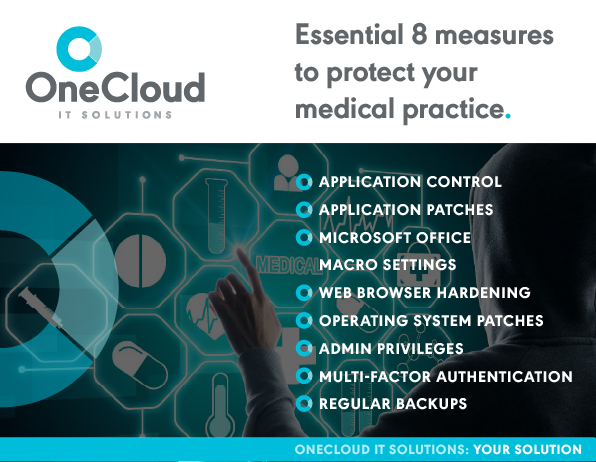
The following Essential 8 measures will help you protect your medical practice from cyber breaches. 

*Note: the Essential 8 are designed for Microsoft Windows internet connected networks. If your business is based on a cloud service many of these strategies still apply, but you should supplement them with these resources. 

Application Control

Application control stops unapproved or suspicious applications from being installed in your computer systems. 

When you visit a compromised website, it’s possible to download dangerous applications without you knowing. Application control also protects you from employees installing suspicious applications and introducing vulnerabilities to your system. 

Remember, your employees likely aren’t deliberately trying to sabotage your cybersecurity, but people make mistakes, and configuring application control helps prevent these mistakes. 

Application Patches

Patches don’t just improve performance or add new features, they also fix known exploits that cyber criminals will use to gain access to your medical practice’s systems. It’s in your best interests to check that your software and devices are set to automatically update. 

Don’t fall into the trap of assuming that your software are updating themselves. You need to be positive that they are, or you are leaving yourself vulnerable. 

Even after taking this step, if you hear of any exploits in software that you use, manually checking for an update will give you some peace of mind. 

Microsoft Office Macro Settings

Macros are automated actions that can complete a number of simple tasks for you. In many areas where you would need to click or type, Microsoft Office macros can do that for you.

The problem is, the code that allows this feature to work can also be the perfect vehicle for malicious code to enter and wreak havoc on your system. 

By configuring Microsoft Office properly, you can substantially reduce the threat of an attack through your macro code. 

Web Browser Hardening

Your web browser is your doorway out into the internet, where much of modern medical practice business takes place. The problem with doorways is that while they let you out, they can also let cyber criminals in. 

Browser hardening adjusts the settings of your web browser to make it as protected as possible. This process commonly includes making sure employees can’t change their browser settings. It also stops your browser from processing common harmful traffic sources, like online ads and programs running Javascript. 

Operating System Patches

Just like your software, your devices need regular patches as well. Like renovating a house that has a weak foundation, no matter how often you update your software, if your device operating systems stay at the factory level you’re still exposed. 

Setting up automatic updates on your devices should be your first step. If you have a larger medical practice, it’s a good idea to contact an IT service, they can remote update all the devices on your network for you. 

Admin Privileges

Your administrator privileges shouldn’t be accessible among your entire team. They have the power to change very important settings and configurations across your entire device network. They also grant access to confidential information. 

Remember, if your employees are compromised, anything they can access is something your hacker can access too. You need to seriously consider who in your team needs admin access, and then restrict it just to that group.

A good rule of thumb for deciding what level of access to give is to only grant the amount required for your team to complete their tasks. Any more is unnecessary and increases the potential damage of any future attacks.

Multi-Factor Authentication

Implementing multi-factor authentication is one of the most powerful measures you can take to protect your medical practice. When you sign into an account with multi-factor enabled, you will need to use a second device to confirm your access. A common example is being sent an SMS message with a code when you try to log in through your desktop. 

This quite literally doubles the work a hacker needs to do to access your account, because they need to compromise two of your devices, not just one. 

It’s also a great early warning system when someone is trying to breach your security. If you receive a code, but you know you haven’t tried to access your account, then you know someone is trying to hack you. 

Regular Backups

The patient records kept at medical centres are incredibly important. They contain important information about people’s medical histories, such as notes about allergies, tolerances and health conditions that could affect future treatments. 

While people often think of data breaches as data being stolen, they fail to think about data being withheld or deleted. Ransomware, malware that locks you out of your data and demands a ransom to unlock it, is particularly threatening for medical practices. People need their medical records, and you need them to operate your practice, so hackers may believe you are more likely to pay the ransom

Backing up your data to the cloud is one way that you can be sure to retrieve it in the event of a cyber attack. Many cloud-based backup solutions store your data on multiple servers across multiple countries. This makes it incredibly difficult to access for hackers. 

Contact an IT Service

Receiving accreditation as a general medical practice depends on having high-quality cybersecurity. To be confident that you can keep your patient data safe, you need to contact an IT service. 

At OneCloud IT Solutions, we specialise in implementing the Essential 8, as well as additional measures that we know are necessary.

We’ll conduct a full audit of your current cybersecurity setup and identify any vulnerabilities in your system. This allows us to implement any measures required to keep your medical practice and your data safe. 

Contact us today to book a cybersecurity audit, or visit our website for more details about our solutions. 

Phishing Cyber Attacks: How to Avoid Being Caught Hook, Line and Sinker

If you’ve ever been fishing, you know how it feels to bait a  hook or use a lure to imitate the movements of a real fish.

Well now imagine that you are the fish, and cyber attackers are phishing in your inboxes. Their messages will imitate brands or people you know and trust, all to entice you to take the bait.

While you might think you can spot the hook, just remember, so did every fish you’ve ever caught. 

Read our guide to phishing cyber attacks, including how to spot them, and how to protect yourself from them.  

What are Phishing Cyber Attacks?

Phishing cyber attacks are a type of social engineering attack that steals a victim’s personal information through deception. Victims unintentionally share their information with attackers when they interact with communications that appear to be from someone else. 

Phishing criminals imitate close friends, financial institutions and even government agencies. Their fake messages often contain psychological triggers that undermine the victim’s rationality. 

How Dangerous are Phishing Cyber Attacks?

According to the Notifiable Data Breaches Report 2021, data breaches have risen by 6%. 55% of those breaches were a result of criminal attacks, 32% of which were phishing scams. That’s a lot of attacks!

Phishing scams were responsible for the largest number of malicious data breaches. Unfortunately, with new methods of digital communication being invented all the time, they are likely to continue being one of the most serious cybersecurity threats. 

Another thing that makes phishing dangerous is the delay between noticing your details have been compromised and taking action. Unlike ransomware attacks that withhold or destroy data, phishing scams often don’t affect the victim at first. 

In one notable case, a hacker gained access to an email account and lurked for 120 days before intercepting a $40,000 payment. Phishing attacks often unfold in two stages, the hacker gaining entry into a network or account, and then waiting until the perfect time to strike. 

Often, the consequences of unnoticed cyberattacks get worse over time. So when phishing scams finally cause damage, it is often a lot of damage!

What Types of Messages can be Affected by Phishing Scams?

Phishing attacks are possible in most forms of digital communication. If you’ve ever received an SMS asking you to click a suspicious link, or you’ve received a friend request on Facebook from someone you are already friends with, you’ve likely experienced a phishing message.

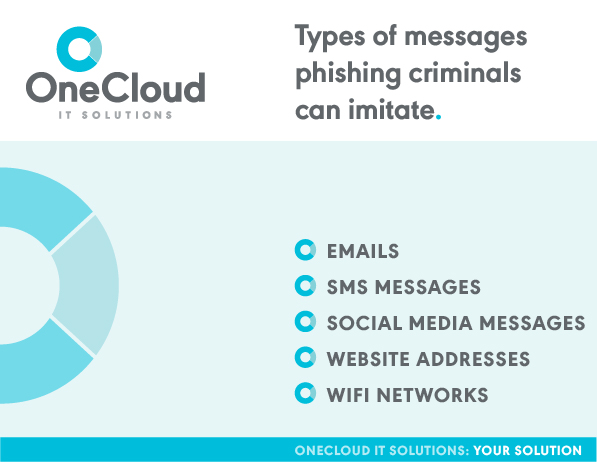
Phishing messages can imitate:

  • Emails
  • SMS messages
  • Social media messages
  • Website addresses
  • Wifi Networks

Depending on the hacker’s level of skill, these trap messages range from being indistinguishable from what they are imitating, to being really sloppy and obvious. The trick to avoiding them is to understand the different tactics and schemes that phishing scammers use. 

Common Phishing Tactics

When you make a decision, there are two modes you can be in. The first is a more primal, reactionary one. It’s useful for spotting and running from a predator, or swerving away from a car that pulls into your lane. But it isn’t great for evaluating whether an email is genuine or not. 

The second mode is more long-term and logical. It’s the mode you might be in if you are comparing phone plans or deciding whether to take a job or not. Scammers use emotional triggers to keep you in the first mode. Remember, they want you to react impulsively. 

While every phishing cyber attack is different, there are four main tactics that phishing scammers use to lower your defences. These tactics don’t have to be used separately, they are actually more powerful when used together. 

A Common Example

You’ve probably received emails or SMS messages claiming to be from a computer software company. They’ll usually tell you your computer is ‘compromised’ or ‘infected’ and you’ll need to give them access or pay to download their antivirus before it’s too late. 

We’ll use one of these phishing scams as an example to demonstrate the different tactics at play.

Creating a Sense of Urgency

The first emotion these messages are designed to evoke is fear and panic. Suddenly finding out that your device has been hacked will make you desperate for a quick solution which the hacker conveniently provides. Ironically, it’s the fear of being hacked that lowers your defences to the real hacker. 

Without the sense of urgency, you might take a few days to find the best antivirus, or you might decide to deal with it later, and then call the real company and expose the hacker. Messages will include assertive language like ‘act now’, ‘don’t delay’, and ‘before it’s too late’ to avoid that and force an impulsive decision.

This makes you feel like you don’t have a choice but to follow their directions. Then, once you pay for an ‘antivirus’, or give them remote access to your computer, they can steal your payment details and personal information. 

Exploiting Familiarity or Trust

Another crucial part of these messages is who they pretend to be. Microsoft, Apple, or notable antivirus companies are all brands that most victims know and trust. These scams are usually sent in bulk, so just through the laws of probability, if they claim to be from Microsoft, a large percentage of people will have a Microsoft device. 

At this stage, you have a brand that you are familiar with and trust, telling you to take urgent action. That’s pretty compelling!

Exploiting a Lack of Knowledge

One thing that might save you is knowledge. If you are more tech-savvy, you might know how to check your computer yourself, or know that companies will never reach out to alert you to a compromised device. 

The problem is, for people who don’t know for themselves, especially elderly people, this lack of knowledge makes phishing scams even more effective. 

Think about when you go to the mechanic. If you don’t know anything about cars you have to trust what the mechanic says. In times where we don’t have knowledge, it’s natural to defer to the authority of someone who says they do. 

Targeting People in Compromised Positions

Even if someone knows how to look out for all of the above, they can still find themselves in a situation where they lower their guard. For the victims of the recent Optus cyber attack that stole information from thousands of Australians, fear of being hacked could make them more susceptible to phishing scams.

For example, SMS and email phishing scams targeting the victims have been on the rise. These claim to be from Optus or the Australian government, and range from alerting the victim that they have been hacked, to offering to replace their compromised identification documents for a ‘fee’. 

Given the uncertainty that many people have felt since the massive breach, these messages combine all four of these phishing tactics and pose a serious risk.

Well-Known Phishing Schemes

Now that you know how to spot the tactics used by phishing cyber attackers, it’s time to learn the common schemes as well. 

Ambulance Chasing

Ambulance chasing is most commonly used in the wake of a disaster or crisis. For example, many Australian victims of the mass flooding in May 2022 fell victim to ambulance chasing schemes. Messages offering fake insurance claims or requests for charitable donations were rife, and targeted victims in states of extreme desperation and stress.

Bulk Campaigning 

Bulk phishing campaigns don’t target based on the victim’s details, they simply send out generic emails or texts and see what they can get. This scheme is the closest to the fishing comparison, because scammers are basically throwing a line out and seeing who they reel in. 

These messages will copy a well known brand, like a popular streaming service, and the message will usually be something fairly simple, like requesting that payment details be updated. These campaigns are low effort and low cost to the hackers, so they don’t need to trick many people to get a return on their investment. 

Spear Phishing

If you’ve ever been spear fishing, you’ll know that you want to let the smaller fish swim by while you search for a bigger target, and when you find it you need to be incredibly accurate. 

Spear ‘phishing’ is the same concept. Spear phishers only care about their target, not any other people that they haven’t done their research on.

Spear phishing is most commonly used when a hacker is trying to infiltrate the communications of an organisation. They’ll single out a vulnerable employee and send a personally tailored message posing as another member of that organisation, or a partner organisation. 

Since the messages appear to come from an internal source, and include specifics about the recipient, they are one of the most persuasive and effective forms of phishing schemes. 

One of the most successful examples of spear phishing was the case of a man creating a fake computer manufacturing company and invoicing Facebook and Google employees for $100M over three years. The money was then deposited into his own accounts. 

Whale Phishing

Whale phishing is similar in concept to spear phishing, but rather than targeting an employee, it will target the boss. Whether that’s the CEO or another equivalent position, it has a higher potential to earn money for the hackers because the boss will have higher executive power. 

Perhaps the most costly whaling attack in history was the loss of over 70M euros at the Crelan bank in Belgium. The CEO’s work email was infiltrated through a whale phishing scam, and was then used to order an employee to transfer the money to the hacker’s account. 

How to Protect Yourself From Phishing Cyber Attacks

There are a range of ways you can protect yourself from phishing attacks, from properly educating yourself and your team, to software solutions. 

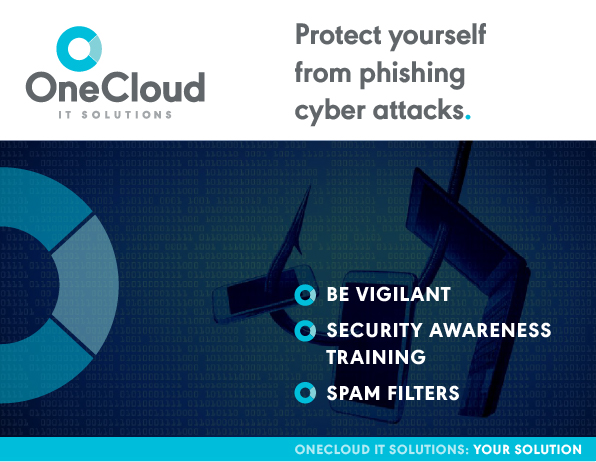
Be Vigilant

The first step is to use the information in this article to slow down and evaluate any communications you receive, no matter how ‘urgent’ they seem.

Check links, logos, addresses and look for anything suspicious. Does the URL have the business name in it, does your browser authenticate it? Is the person emailing you someone you’ve never seen or heard of at work before? These are all questions you should be asking.

Even with this vigilance, technology advancements make phishing scams more convincing every year. So your golden rule should be to never transfer money or provide your card details unless you can cross-reference the payment. If you are ever in doubt, give the person or organisation a call to confirm. 

Security Awareness Training

While you may be aware of phishing scams, your team might not be. Make sure you educate your team on the risks and warning signs of phishing cyber attacks. If you don’t feel capable of doing this, an IT company can help educate your team for you. They’ll run phishing simulation campaigns and specific online training to educate employees. 

Spam Filters

Most fraudulent emails will be filtered out by installing spam filters. You can install one yourself, either through free or paid versions, or an IT company can install it for you. 

One Central Coast business was operating without a spam filter  and was receiving large numbers of phishing emails. The team weren’t educated enough on the risks of phishing cyber attacks, and it was just a matter of time before someone clicked a suspicious link. With spam filters in place, and some thorough educating, the risk of a data breach was greatly reduced. 

Read a comprehensive list of 7 more practical steps you can take to avoid phishing scams.

Contact an IT Company

To find true peace of mind, the best way to protect yourself and your business is with an IT company. They’ll identify any opportunity areas in your team behaviour and your software set up.

OneCloud IT Solution provides sophisticated cybersecurity based on the Essential 8 model recommended by the Australian government. We’ll conduct a complete audit to find any vulnerabilities in your existing solutions, and we’ll fix and enhance them.

Feel assured that you are protected from phishing cyber attacks, as well the other forms of malicious data breaches. If you’d like to enquire about our service, get in touch with us today. 

Don’t Become a Statistic: A Guide to the Essential 8

The Essential 8 framework. Heard of it? If not, you might be at risk. 

Your cybersecurity is the only thing standing between your business data and cybercriminals. The Australian government has developed the Essential 8, a framework of cybersecurity measures, to protect businesses like yours from these attacks. 

Read on to learn why implementing the Essential 8 is crucial to your protection. Plus, we’ve included three measures in the Essential 8 framework, and two extras, which you can use today  to give yourself some immediate peace of mind. 

Why Cybersecurity is Important

If you’ve put your cybersecurity on the back burner recently you aren’t alone. The Notifiable Data Breaches report from July – December 2021 shows that:

  • Serious data breaches are up by 6%
  • Malicious or criminal attacks account for 55% of all breaches
  • 85% of breaches steal personal and contact information

These statistics show two worrying trends. First, data breaches are becoming more common. Second, over half of them are deliberate attacks by real people, rather than accidental sharing. 

You might be thinking, “so what if they get it, my data isn’t that important.”

Unfortunately, these attackers aren’t just accessing your systems out of curiosity. In truth, they don’t care about you at all. You are just a way for them to target other people, like your employees and clients. For the 85% of businesses that have personal and contact information stolen, their lost data leads to fraudulent payments, identity theft and even blackmail.

Are You at Risk?

Any level of cybersecurity neglect makes you vulnerable. The longer you ignore the problem, the more vulnerable you will be. 

Technology is always evolving. This means attackers are continually evolving their methods as well. Unfortunately, the longer you wait to take action, the more ground you need to make up to modernise your systems and stay ahead of cybercriminals. 

The important thing to remember is that it is never too late! Attackers succeed because business’s lack security, but with proper protection, you can put them on the backfoot 

You can do this by increasing your business’s Maturity Level. 

The Maturity Levels

Maturity Levels determine how well protected you are, how desirable your business is to a cyberattacker, and how sophisticated that cyberattack would likely be. 

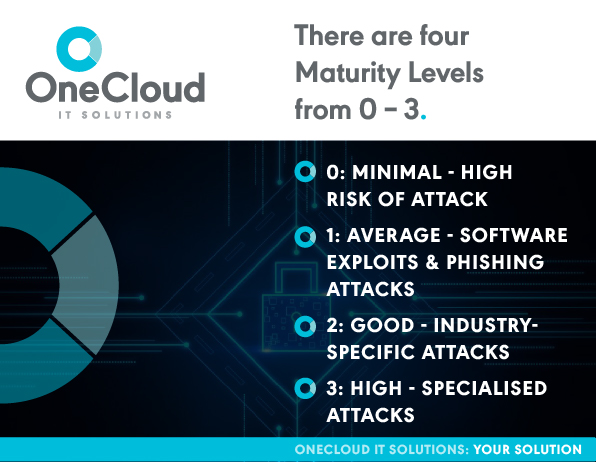
There are four Maturity Levels, from 0 – 3.

  • Maturity Level 0: minimal or no security, at risk of any attack
  • Maturity Level 1: average security, at risk of being caught in widespread breaches, software exploits and phishing attacks 
  • Maturity Level 2: Good security, at risk of industry-specific attacks with sophisticated tools and tradecraft tailored to their industry
  • Maturity Level 3: High security, at risk of specialised attacks with custom made tools and social engineering

Read a detailed breakdown of each Maturity Level. 

Every business should aim to be at a Maturity Level 1. But the shocking truth is that the vast majority of small to medium sized businesses are at a Maturity Level 0 – without even realising! If all you’ve got is an antivirus installed, that would have protected you in the past, but your security needs to be more robust now. 

The nature of data breaches is also changing. They used to be a concern for mostly larger businesses, but small to medium businesses are increasingly being targeted by ransomware. 

Ransomware, which now accounts for 23% of all breaches, is a form of malware that downloads itself onto your network or devices and locks you out of your data. You are then asked to pay a ‘ransom’ to the attacker to get your data back.

Small to medium businesses are far more likely to pay these ransoms because they don’t have the same access to countermeasures that large companies and corporations do. Sadly, there is no guarantee that paying the ransom will save your data, or stop the attacker from blackmailing you again. 

Learn more about how to avoid, recognise and mitigate ransomware. 

With threats like ransomware making small to medium businesses high value targets, you cannot afford to put off moving to a Maturity Level 1. 

But how can you protect yourself?

The Essential 8 Explained

The Essential 8 is a mitigation framework designed by the Australian Cybersecurity Council (ACSC) to protect businesses from cyberattackers. 

The Essential 8 recommend security measures to be taken in the following areas:

  1. Application control
  2. Patch applications
  3. Configuring Microsoft Office Macro settings
  4. User application hardening
  5. Restrict administrative privileges
  6. Patch operating systems
  7. Multi-factor authentication
  8. Regular backups

*Note the Essential 8 are designed for Microsoft Windows internet connected networks. If your business is based on a cloud service many of these strategies still apply, but you should supplement them with these resources

Each security measure has a series of escalating mitigations depending on the Maturity Level you are trying to reach. These need to be implemented by a cybersecurity professional. Ask your IT company if they are able to complete the process, or if they can recommend a cybersecurity specialist. 

Read the required Essential 8 security measures for each Maturity Level. 

3 DIY Steps to Get a Head Start on the Essential 8

While implementing the entire Essential 8 framework is a job for professionals, there are three basic steps you can take right now to start protecting yourself. 

Automatic Updates

Turning on automatic updates might just be the simplest security measure you can take that produces the best results. 

One of the most common ways attackers compromise systems is through exploiting outdated software. By turning on automatic updates you can make sure you never have outdated software without ever worrying about forgetting to update.

It’s a good idea to turn this on across all of your devices and applications. It’s often as simple as changing a setting. If you are using Microsoft 365, you can enable automatic updates in just three steps!

Multi-Factor Authentication

Even strong passwords can be vulnerable to breaches. That’s why multi-factor authentication has become an essential part of modern cybersecurity. 

Rather than using a single device to log in, multi-factor will use multiple devices to authenticate you, hence the name. A common example would be logging into an account on desktop, and being sent a code to your phone via SMS. You then type the code into your desktop device, and you are logged in. 

What that process is doing is adding a second layer of protection to your account. If your desktop is compromised, the attacker would also need to compromise your phone to gain access. 

There can be more layers, and different devices, depending on the level of security you need. If you use Microsoft 365 you simply need to configure it.

If your business uses a 3rd Party Line of Business (LOB) app, ask your app providers if they support multi-factor authentication and can help you set it up. 

Regular Backups

Arguably the most important protection measure to take against data breaches is ensuring regular backups of your company data. As we discussed earlier, attacks are on the rise. To take the power away from hackers and make sure they don’t lock you out of your own data, you need a regular backup solution. 

First of all, any backup solution is better than no solution. But some are definitely more reliable and safer than others. For example, If you are using USB drives and swapping them out regularly, you may want to consider upgrading your solution sooner rather than later. As the last line of defence, a secure and robust backup solution is not only money well spent but also provides peace of mind for you and your team. 

Backing up your data means making sure it isn’t all stored in one place, like your desktop computer. Instead, you need to keep copies of it in multiple locations, preferably not to ones that are linked by the same network, like your phone and your computer. 

While you may think your USB drive is safe, if your computer has been compromised, devices or accounts linked to that computer can also be compromised. 

Many cloud-based software offer automatic, routine backups. Your data is stored on cloud servers which have strong cybersecurity, and is usually stored on multiple servers tied to separate geographical locations. 

Make it a top priority to contact your IT provider today to discuss and understand your backup solution. If you are unsure or need help please reach out and one of our experienced team members will be able to help. Contact us today. 

Two Bonus DIY Measures 

While these aren’t officially part of the Essential 8, it is best practice for businesses to have them. In addition to keeping you safe, both of these measures can save you time in the day-to-day running of your business. 

Email Spam Filter

Are you receiving tens, if not hundreds of useless emails everyday? 

A spam filter can remove the junk emails, and leave the important ones in your main inbox. Not only will this save you time, it will also protect you from any phishing emails that could put you at risk. You can choose from a number of different spam filters, or contact an IT company to have one installed. 

Learn about a Central Coast business who was receiving huge numbers of spam emails. 

Password Manager

Do you have the same password for everything? Maybe with a few different numbers at the end for some variety?

If you do, don’t feel bad. You certainly aren’t alone. Many people use the same password because it’s easy to remember. With a password manager, you don’t have to remember any passwords at all, and it is more secure. 

Password managers sync across your devices and use generated passwords to log you into your accounts. These passwords are different each time and are made up of random characters which are much harder to hack. 

This saves you from having to remember passwords, and from the annoyance of having to change them 

You can get password manager software yourself, or ask an IT company to install it for you. We recommend LastPass, and use it ourselves when we implement the Essential 8 for clients. 

Contact an IT Service

If you are concerned about your cybersecurity, contact your IT company and ask them if they can implement the Essential 8. If they can’t, contact another company or ask them if they can recommend a cybersecurity specialist. Don’t wait until you become a data breach statistic. 

If you don’t have an IT company to assist you, consider OneCloud IT Solutions. We see the Essential 8 as a fantastic starting point, but we also take further measures to make sure you are completely protected. 

We’ll conduct a complete audit of your current cybersecurity strengths and weaknesses. That way, we’ll know exactly what’s required to keep your business safe. 

Contact us to organise a cybersecurity inspection, or visit our website for more details

Cloud Computing – Get Your Head In The Cloud

In spite of the data pointing to the business efficiencies it creates – and the cost-savings it offers – a large portion of businesses strangely still operate without cloud computing.

Yet, as technology advances, it becomes more evident that traditional IT infrastructures are limited. Many businesses struggle to adapt to changes in the marketplace and new trends, because their infrastructure does not consistently measure and respond to these.

Taking advantage of cloud-based services can help businesses streamline performance and manage growth without the costs of investing in expensive hardware and software.

What Is Cloud Computing?

Cloud computing as a delivery model for IT services is defined by the National Institute of Standards and Technology (NIST) as “a model for enabling convenient, on-demand network access to a shared pool of configurable computing resources (e.g. networks, servers, storage, applications, and services) that can be rapidly provisioned and released with minimal management effort or service provider interaction”.

How Does Cloud Computing Work?

All the features and files of a cloud computing system can be accessed without having to maintain all the files on their computers. Cloud computing works similarly to web-based email clients. 

There are many cloud computing services already available to people without their knowledge. Even Facebook and Instagram are cloud-based apps, as well as Office 365

Users send their personal data to a cloud-hosted server which then stores it for later access. 

While these applications are useful for personal use, they are even more important for companies that need to have secure, online access to data in large quantities.

Taking advantage of cloud-based services can help businesses streamline performance and manage growth without the costs of investing in expensive hardware and software.

What Is Cloud Computing Used For?

Cloud computing refers to a variety of cloud services, including:

File storage services: Store your files and back them up regularly. These files can also be synced between devices. 

Cloud backup: While cloud storage and cloud backup are often confused, cloud backup serves as a failsafe in case your company is attacked by a cyberattack or loses data. 

Software as a service (SaaS): SaaS solutions use the web to provide a service. Examples of SaaS applications include Office 365, Google Apps, Xero and Salesforce. SaaS solutions may also be called platform as a service (PaaS). 

Cloud hosting: These solutions facilitate multiple types of information sharing, such as email services, application hosting, web-based phone systems and data storage.

The Business Benefits Of Cloud Computing

Here are some of the key advantages of cloud computing for your business:

Cost savingsSecurityFlexibility
MobilityInsightIncreased collaboration
Quality controlDisaster recoveryLoss prevention
Automatic software updatesCompetitive edgeSustainability
Super fast performanceGet new apps running quickerAutomatic software integration
Scalability and performanceThe cloud is future enabledBusiness continuity

How do cloud services store data?

Cloud computing services are available in four main forms:

PublicPrivateCommunityHybrid
When a firm uses a vendor’s cloud infrastructure which is shared via the internet with many other organisations and other members of the public.A firm’s exclusive use of cloud infrastructure and services located at the organisation’s premises or offsite, and managed by the organisation or a vendor.Shared by several organisations with similar security requirements and a need to store or process data of similar sensitivity.A hybrid cloud model involves a combination of any or all of the other cloud models. 

Choosing a storage model that doesn’t fit your company’s needs can pose a security risk.

Questions To Ask About Cloud Computing For Your Business

Before signing up for cloud computing services, you should ask the following:

  • Can anyone see my information?
  • Is my data spread out across several data centres in different locations to protect it from regional attacks?
  • Is my data protected by any redundancies?
  • Is my data encrypted by you? What steps do you take to protect my data?
  • Do you manage encryption keys in any particular way?
  • When there is a crash or cyberattack, what happens and how are my files restored?
  • Can you tell me about your security certifications?
  • Is your security policy up to date?
  • Is there anything that could go wrong with implementation?
  • Is your company a reseller? Is there a person in charge of service and support?

Cloud hosting provides businesses with many benefits. A cloud-based system is highly reliable, cost-effective, and provides the scalability, flexibility, agility, high performance, and security businesses need for their IT systems.

For businesses of all sizes, we offer cloud computing services. Check out OneCloud IT Solutions’ managed cloud hosting packages if you are interested in a managed cloud solution backed by 24/7 expert technical support.

Cloud Computing FAQs:

  • What are the main challenges of cloud computing?

The cloud has two challenges. Any new technology must be implemented with training of personnel and a strong troubleshooting process. Your employees may also be resistant, especially those unaccustomed to cloud technology.

  • How does data stay safe in the cloud?

A cyberattack can affect any business. The safety and security of their information stored in the cloud is especially important to business owners. A reliable cloud service provider knows all contingency plans in the event of a breach, and takes the necessary steps to bolster your security.

Related Cloud Computing Links

ACSC: Cloud Assessment and Authorisation – Frequently Asked Questions

Cloud Computing Security Considerations

Strong Cyber Security Can Save Your Business

Cyber security is a growing concern for businesses. If your business is on the internet, it is vulnerable.

Fraudsters are becoming more sophisticated as cyber-defence tools improve. Putting in place security measures alone is not sufficient. With the shifting landscape, you need to be monitoring and updating them all the time.

So, businesses must understand the extreme importance, right now, of how implementing and adapting solid cyber security protocols helps them to protect their operations.

And, a major problem with cyber crime is it doesn’t just affect big business and government agencies. It’s more prevalent among smaller companies whose vulnerabilities are subtle.

The Federal Government recently announced a national initiative to raise awareness of the need for small and medium businesses to have effective security.

The platform being provided for SMB’s by the Federal Government for cyber security mitigation is based on what’s called the “Essential Eight”.

The Essential Eight Broken Down

Mitigation Strategies to Prevent Malware Delivery and Execution

  • Configure Microsoft Office Macro Setting
  • Application Control
  • Patch Applications
  • User Application Hardening

Mitigation Strategies to Limit the Extent of Cyber Security Incidents

  • Restrict Administrative Privileges
  • Multi-factor Authentication
  • Patch Operating Systems

Mitigation Strategies to Recover Data and System Availability

  • Daily Backups

At OneCloud IT Solutions, we are committed to delivering you these proven strategies to secure your business operations online as part of our security service.

With OneCloud IT Solutions, we understand businesses are looking for professionals with a combination of technical skills with expertise in data security along with the understanding of business risk.

When you use our cyber security service, you are leveraging the experience and proven expertise of a team across these valuable IT skills and disciplines:

Cyber Security AnalysisCyber Security ConsultingSystems EngineeringSystems Administrating
Vulnerability AnalysisComputer Forensics AnalysisEthical HackingPenetration Testing

To protect your computer systems from suspicious behaviour, strong security is necessary. Our full cyber security service for your business focuses on these key areas:

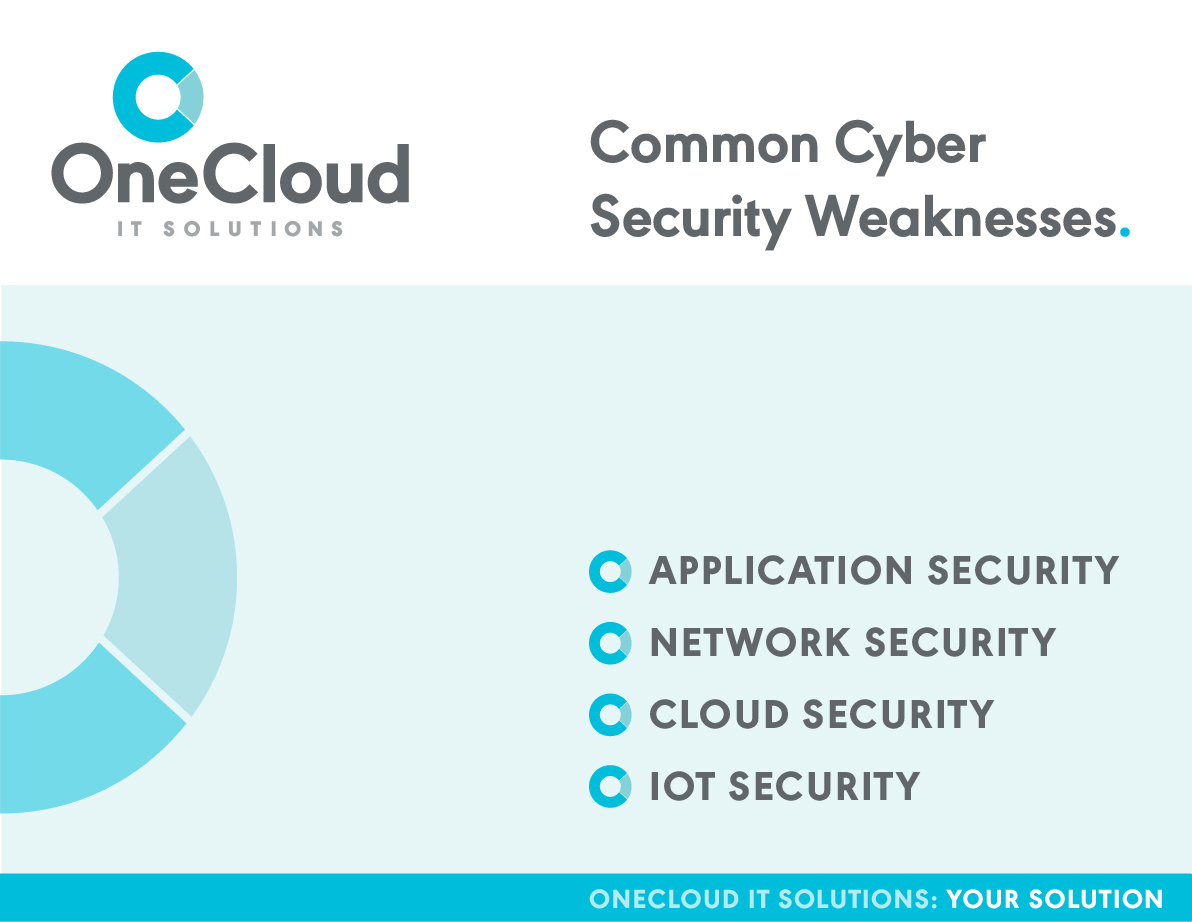
list of common cyber security weaknesses including application, network, cloud and IOT security

Why You Should Be Worried About Cyber Crime

Cyber crimes cost the Australian economy roughly $1 billion dollars a year.

A report by the Cyber Security Cooperative Research Centre estimated that cyber crime has cost the global economy US$1 trillion. 

Among the recent ransomware attacks in Australia are:

  • February and May 2020 – Two attacks in a few months against logistics company Toll Holdings
  • March 2021 – An attack against Nine Entertainment that left the company struggling to televise news bulletins and produce newspapers
  • June 2021– An attack against JBS Foods, the world’s largest meat supplier, which affected 47 facilities in Australia

Rachel Noble, director-general of the Australian Signals Directorate (ASD) told a Senate committee in June that these attacks on JBS, Nine, and Toll Group have been “catastrophic” for the businesses affected. [source: ABC]

Interestingly, one-third of Australian organisations hit by ransomware attacks paid the ransom. That’s a lot of money to avoid embarrassment. There has been a 60 per cent increase in ransomware attacks against Australian entities in the past year, according to the government’s cyber security agency, the ACSC.

The Key Cyber Attacks

Email phishing – a growing threat to individuals and businesses as hackers utilise phishing to send malware.

The strengthening of passwords is one of the common problems companies face, specifically in B2B. Using the same password across multiple accounts causes the issue.

Ransomware – the name comes from the fact that malware is often used to lock a device, data or system until a hacker is paid a ransom.

Though DDoS attacks still tend to be the most expensive of the cyber claims, ransomware is now the most prominent threat and the most costly.

Because of the expansion of remote work arrangements during the COVID-19 pandemic, businesses have likely been exploited by malicious cyber actors through recently disclosed software flaws. Four of the most targeted vulnerabilities affected remote work, VPNs, or cloud technologies.

Among those highly exploited in 2021 are vulnerabilities in Microsoft, Pulse, Accellion, VMware, and Fortinet software. [source: Australian Cyber Security Centre]

“In cyber security, getting the basics right is often most important. Organisations that apply the best practices of cyber security, such as patching, can reduce their risk of cyber actors exploiting known vulnerabilities in their networks,” said Eric Goldstein, Executive Assistant Director for Cybersecurity, CISA.

Australians spent approximately $5.6 billion on cyber security in 2020, according to AustCyber. By the year 2024, this figure is predicted to amount to $7.6 billion.

list of common cyber security weaknesses including email phishing, passwords, ransomeware, DDOS attacks, remote work, VPNs and cloud technologies

OneCloud IT Solutions Is Your Trusted Cyber Security Team

Firms often have difficulty hiring trained cyber security professionals due to the difficulty of finding professionals with the right blend of technical and soft skills. That’s where we come in. We keep things simple. We won’t sugar coat things, or confuse you with techy jargon. We are down to earth, straight-shooters who work hard to protect your business.

OneCloud IT Solutions’ team of professionals offers:

  • A service which is enthusiastic, analytical, and adaptable with an understanding of vulnerabilities on the web
  • Business acumen, business risk awareness, and problem-solving abilities
  • The ability to communicate technical and nontechnical information in a manner that is clear and easy to understand
  • Excellent understanding of operation systems, networks, and visualisation systems, including architecture, administration, and management
  • Knowledge of programming languages, such as PHP, Python, Java, and C++.
  • Working within your business to develop your cyber security experience

To check the vulnerability of your business and to discuss your security strategy, please contact One Cloud IT Solutions today.

We are here for you.

Related Cyber Security Links

Australian Cyber Security Centre

Cyber Security Cooperative Research Centre

Australian Signals Directorate

Security Brief Australia

Australian Cyber Security Magazine

IT News: Security

Channel Nine: Cyber Security News

ECPI University

Managed IT Services: A Complete Overview

For small businesses still growing, every cent matters on your balance sheet. Cuts and sacrifices have to be made in order to survive, and a common area this occurs in is your Information Technology department. But what if there’s a solution that doesn’t just save your business money, but actually improves your bottom line while ensuring your IT systems stay secure?

What Are Managed IT Services?

Managed IT services involves outsourcing IT system management and maintenance to a firm that specialises in all aspects of the industry, including:

  1. IT Support
  2. Monitoring
  3. Disaster Recovery
  4. Reporting
  5. Security
  6. Maintenance
  7. Hardware and Software
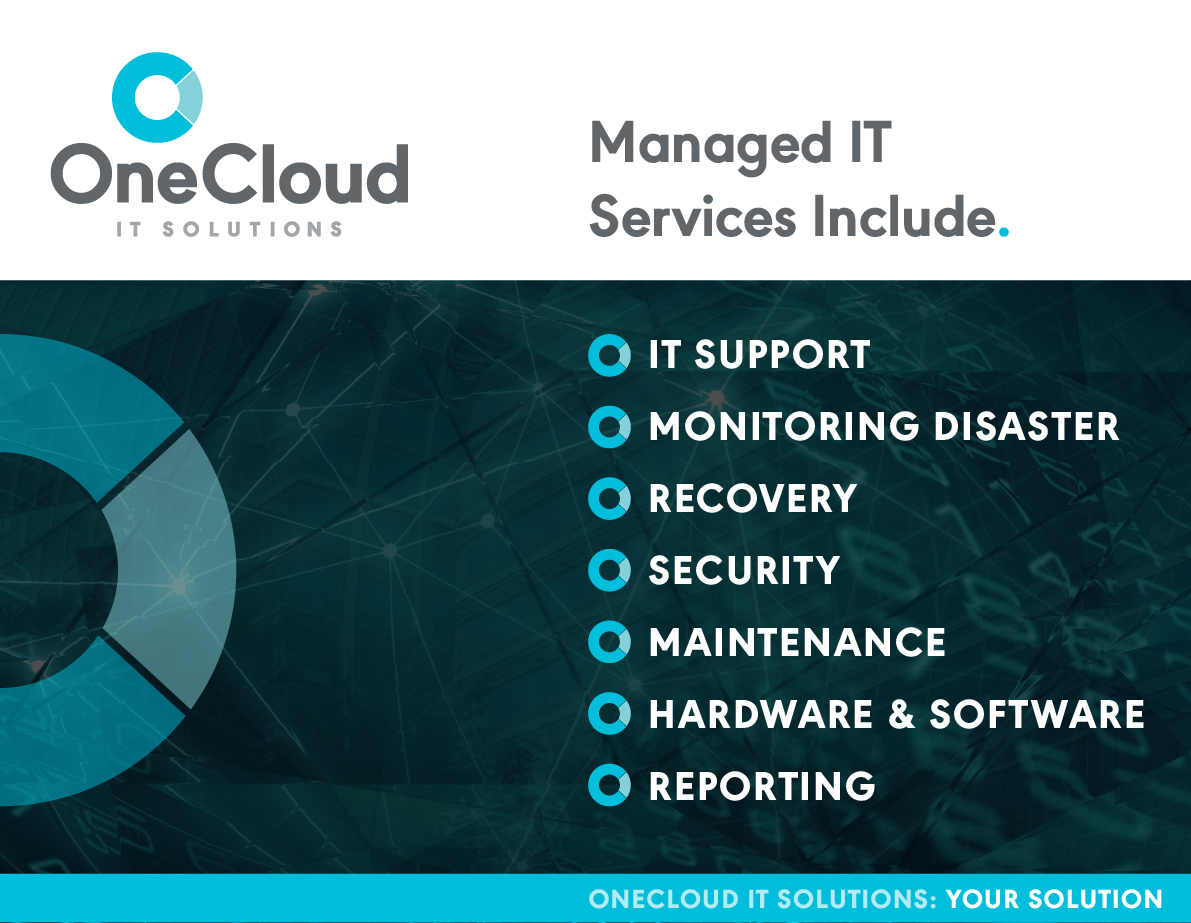
image showing list of managed IT services including, IT support, monitoring disaster, recovery, security, maintenance, hardware and software, reporting

Why Use Managed IT Services

Expertise and Cost

For SME’s, employing an in-house team of IT specialists is simply not realistic, nor is it necessary.

The average salary for an IT specialist is $90,000, and that’s before you factor in infrastructure costs such as computers, software programs, and data management.

A managed IT service gives you access to everything you need, at a fraction of the cost.

Enhanced Security

One aspect of managed IT services includes monitoring your systems and servers for a potential breach, and implementing software and protocols so your system will be secured from external threats. Furthermore, in the event of a security breach, experts will be on-hand to resolve any concerns.

Efficiencies and Operating Improvements

Innovation is an important aspect for businesses that want to grow. Old computers can cost a business over $4000 a year, and software that is five years old will cost a business more to maintain it than what was originally spent on acquiring it.

Using old computers or software can inadvertently be costing you time and money. By working with a managed IT provider, you get access to the newest technology that your business can take advantage of.

Maintenance

An often overlooked aspect of IT systems is the maintenance required to ensure the business can continue to operate smoothly. The average cost of IT downtime is $5,600 per minute.

Managed IT services involves proactively assessing and updating systems to ensure you’re consistently operating at full capacity.

Solutions

Managed IT Services gives businesses access to experts in the industry, and also experience-driven solutions. When you have experts working with you to plan and implement change, it gives you the power to drive change within your business.

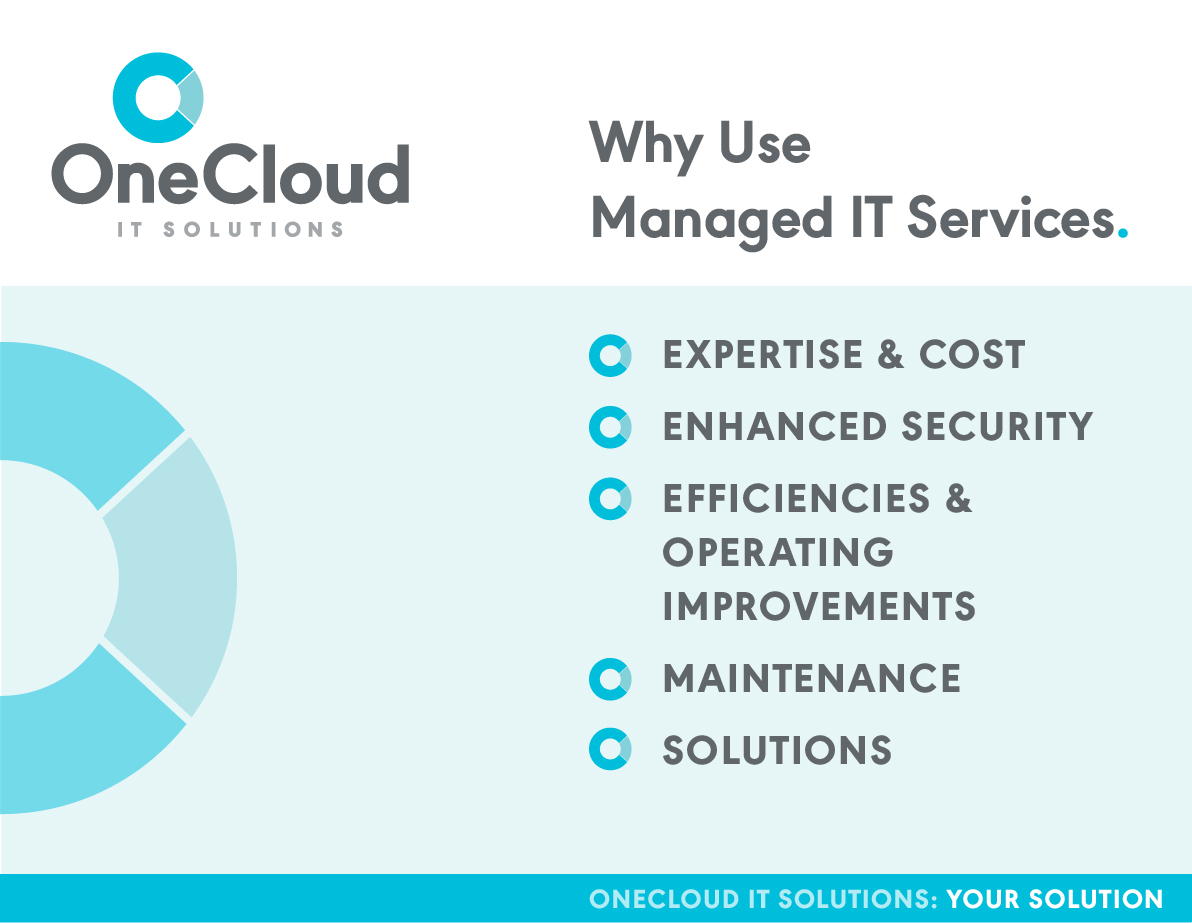
reasons to choose managed it services

Managed IT Service Inclusions

Every managed IT service provider is different, so the following is a list of common inclusions that IT companies will provide for you.

Support

From minor issues to major compromises, a business utilising managed IT services will have an open communication line with their IT service provider, to ensure all matters regardless of complexity and severity are handled in a timely fashion.

Monitoring

Through both software and proactive measures a managed IT service will supervise your entire system to ensure problems that arise are identified and dealt with quickly.

Disaster recovery

From a website crash to system downtime, disasters cost your business money and reputation. With a managed IT provider and a solid disaster recovery plan, you’ll be in safe hands to guide you through this stressful period, and better yet – prevent it from happening in the first place!

Reporting

A Managed IT service will provide data and analytics regarding the performance of your systems, so you can make informed decisions about your business.

Security

Common cyber security aspects provided by managed IT services companies include email and server protection. However, an often overlooked aspect of security that not all IT businesses will provide is internal testing. Human error accounts for 24% of data breaches, so a managed IT provider will perform tests to see how secure your systems and employees are from external threats.

Maintenance

Maintenance is an important aspect of a managed IT service. IT firms will plan out maintenance schedules, and implement these check ups and improvements in safe periods where downtime will not affect business activity.

Hardware and Software

Managed IT service includes both the provision and maintenance of hardware and software products your business needs to function.

Migration

With innovations in cloud services (Data Centres, Virtual Servers and Software Services), using cloud services has become increasingly popular for its cost effective, secure solution to managing your files and business critical applications as well as providing greater flexibility and uptime. 

A managed IT service provider will help you evaluate your cloud service needs, and implement a cloud migration strategy to ensure the transition is smooth and successful.

Common IT Issues Small Businesses Experience

If your business has or is currently experiencing any of the following IT issues, contact a managed IT service provider.

Server crashSystem compromise
Computer downtimeOld software not working
Lost login detailsNetwork / internet issues
Deleted / lost filesHardware issues
Integration issuesBackup / disaster recovery issues
Cyber security risksHardware / Software set up
Lack of IT planningInternal communication issues

Does Your Current Managed IT Provider Have You Covered?

You want Managed IT to operate like a duck on water – cool, calm and relaxed on the surface, but busy underneath, ensuring everything is running smoothly. Because if they’re constantly having to react to situations, your business has a big underlying problem.

In saying that, it’s natural to think “what am I paying you for?”, which is why we’ve provided a free downloadable resource for you to use in your next meeting with your IT service provider.

It’s full of questions you can ask to find out what they do for you, and how prepared they are in the event of a breach. Download your free questionnaire below.

Wrapping Up Our Managed IT Service Overview

As we’ve discussed, a good managed IT provider will not only save you money, but will help your business grow. It’s important for your business to remain technically proficient, and managed IT service providers help you achieve this.

Case Study: Hacker stings user after lying in wait

Cybersecurity Hacker Case Study

What happens when a hacker gets access to your system and lies in wait?

One such case happened where emails were hacked and the criminal watched in the shadows for 120 days before striking.

In one transaction, the hacker secured a $40,000 payment for just one client breach.

Read more on the hacker’s plan of attack and how OneCloud IT resolved this issue.

The issue

A user’s emails were compromised, however the hacker did not scam the victim straight away. 

The hacker viewed their emails for 120 days – learning their behaviours and accessing their contact lists, understanding how invoices were sent and how much was an appropriate transaction amount. 

Once this knowledge was achieved, the hacker emailed multiple clients, updating them that the company had changed its bank account details and provided a new invoice for the client to pay. 

In one instance, this happened to be a $40,000 payment.

The client then told the company they had paid the new invoice, to which they then discovered that no invoice was sent and no bank details had been changed. 

Once the client and company compared notes and realised the money had left the client’s account, they called the police to start investigating. 

What was done

Once the client discovered their emails were hacked, the below was implemented:

Change your credentials

New username and password: secure passwords should have 12 characters, have a mixture of symbols, number, capital and lowercase letters. Ensure all your passwords are different and keep track of your new passwords. 

Change security question

Without being sure what the hacker was able to access, you need to ensure all account details are changed to reduce the likelihood of the client being hacked again. Avoid questions that could easily be guessed or found online.

Turn on two-step verification

This extra step allows the user to not only reduce the likelihood of being hacked but also reduce the chances of the user being locked out of their account. 

Warn your contacts

Warning your clients provides them the chance to delete any suspicious messages, therefore reducing the chance of them being hacked. 

Also it allows them to avoid invoice notifications, causing them to pay the hacker instead of the users.

Look for signs of trouble

Hackers may have made changes to the user account, allowing them to gain access to your account easier next time or continue to scam people after you’ve taken back control of the account.

Check email signatures, auto-forwarded rules, or any further tips from your email provider.

Look for signs of a computer virus, slowness, pop-up windows, problems shutting down and restarting, or any unfamiliar applications on your device.

Protect yourself for the future

The Outcome

After three months, the hacker was found and the money was returned to the user – which is a rare occurrence.

Measures were put in place to reduce the issues happening again.

Sadly the user took a hit in customer reputation and trust.

The downtime resulted in a loss of income.

Contact OneCloud IT Solutions to start work on your cybersecurity and disaster recovery plan today and start future-proofing your business from the inevitable disasters.

How IT horror stories can help your business

Nobody – no matter how big you are – is ever 100% safe from an IT disaster.

Some of the most famous names in business have been hit with epic data breaches over the years.

Every day is a learning experience and with IT, you can’t be too careful when it comes to the security of your data.

There are several precautions you can take to secure your important business records to reduce the risks of a data breach or other preventable disasters.

7 Ways to prevent phishing and cyber attacks on your business

Sadly, throughout history, it was too late for some of these companies, who took a hit at the time.

But you can hopefully learn from their mistakes or oversights.

Social media breaches

Facebook

Phone numbers, full names, locations, some email addresses, and other details from user profiles were posted to an amateur hacking forum in 2021. The leaked data includes personal information from 533 million Facebook users in 106 countries.

Yahoo

In 2014, Yahoo! suffered a massive attack which leaked the real names, email addresses, dates of birth and telephone numbers of 500 million users. Yahoo revised that estimate in 2017 to include all of its 3 billion user accounts. The breaches cost the company an estimated $350 million.

MySpace

In 2016, the world learned 360 million MySpace user accounts were leaked onto LeakedSource and put up for sale on dark web market The Real Deal with an asking price of 6 bitcoin. The breach related to passwords created in 2013.

LinkedIn

In 2012, the business networking site said 6.5 million passwords were stolen by attackers and posted onto a Russian hacker forum, selling for 5 bitcoin.

Dubsmash

In 2018, US video messaging service Dubsmash had 162 million email addresses, usernames, password hashes, and other personal data such as dates of birth stolen. The data was put up for sale on the Dream Market dark web market. The company advised users to change their passwords.

Sina Weibo

Chinese social site Sina Weibo said 538 million real names, site usernames, gender, location, and – for 172 million users – phone numbers were posted for sale on dark web markets in March 2020.

Zynga

In 2019, 218 million Zynga users were targeted by a hacker who hit the Draw Something and Words with Friends player databases. The hacker stole email addresses, passwords, phone numbers, and user IDs for Facebook.

Payment site breaches

eBay

A 2014 attack on eBay exposed its entire account list of 145 million users, including names, addresses, dates of birth and encrypted passwords. The auction giant said hackers used the credentials of three corporate employees to access its network and had complete access for 229 days.

Equifax

A breach in 2017 compromised the personal info (including the social security numbers, birth dates, addresses, and in some cases drivers’ licence numbers) of 147.9 million customers of US credit bureau Equifax.

Dating site breaches

Adult Friend Finder

In 2016, the FriendFinder Network, which included casual hookup and adult content websites like Adult Friend Finder, Penthouse.com, Cams.com, iCams.com and Stripshow.com, was breached. The stolen data spanned 20 years on six databases and included names, email addresses and passwords, and  was protected by the inadequate SHA-1 hashing algorithm.

Ashley Madison

In 2015, a hacking group stole more than 60Gb of company and user data of Ashley Madison, a site enabling extramarital affairs. The group threatened to release users’ names and personally identifying info if Ashley Madison would not immediately shut down. Resignations, divorces and suicides followed.

MeetMindful.com

In January 2021, a hacker leaked the data of 2.28 million users of dating website MeetMindful that includes real names, Facebook account tokens, email addresses and geo-location information. The  1.2GB file was shared as a free download on a public hacking forum.

Productivity site breaches

Adobe

In 2013, 153 million usernames and passwords were stolen from Adobe. The hack exposed customer names, IDs, passwords and debit and credit card information. The breach cost Adobe $2.1 million.

Canva

In May 2019, Aussie graphic design tool website Canva was attacked. Exposed were email addresses, usernames, names, cities of residence, and passwords of 137 million users. Canva says the hackers managed to view, but not steal, files with partial credit card and payment data.

Hospitality site breaches

Marriott International

In 2018, Marriott International was reportedly hit by Chinese hackers who stole the data of approximately 500 million of its customers. The breach was believed to have started in 2014 and was not discovered until September 2018.

Software faults

AT&T

In 1990, AT&T’s long-distance telephone switching system crashed. 60,000 people  lost their telephone service completely for nine long hours while 70 million phone calls went unanswered. The problem boiled down to some stray C language code in a piece of software.

The Paderborn Baskets

A German pro basketball team was relegated to a lower division due to a Windows update in 2015.

The Paderborn Baskets, a second division German basketball team, was relegated to a lower division for starting a game late, due to a necessary 17-minute Windows update to the scoreboard’s laptop.

Key things you can do to avoid an IT disaster

Can you afford to leave your network unprotected? OneCloud IT can further enhance your network security.

The sky is falling! Why you need a disaster recovery plan

Disasters sound dramatic.

If your business is ever on the receiving end of one, you can believe the pain can be crippling. Some firms never recover.

The clock is ticking on your next big disaster.

Yet, some firms keep rolling the dice in an effort to save money.

Having no disaster recovery plan in place is inviting trouble.

What is a disaster recovery plan?

A disaster recovery plan (DRP) is a documented process or series of procedures that help recover and protect your firm’s IT infrastructure in the event of a disaster.

These disasters hurt your business

Fire Disaster Recovery Plan
  • Fire
  • Flood
  • COVID-19 or other pandemics
  • Earthquakes, cyclones, etc.
  • Cyberattacks
  • Software failures
  • Hardware failures
  • Human error
  • Power failures
  • Internet outages

Brutal results of no recovery plan

  • The average small business can expect to lose $100,000 worth of revenue in unplanned downtime every year
  • 70 percent of small businesses that experience a major data loss go out of business within a year.

And even though you may have made a copy of your data, the time it takes to restore those files can be crippling in terms of downtime to your business.

Over 50 percent of businesses can only handle one hour of downtime.

How to set up disaster recovery

Assessment

Understand what areas of your business are vulnerable and get a better idea of what protections are needed to be put into place.

Planning

Figure out the best course of action which works for you to help keep your business running.

Installation

Install and configure a BCDR (business continuity and disaster recovery) solution for your business, to ensure that you have verified backups, instant virtualisation, local and cloud recovery, and restore options for any scenario. All backups need to be scanned for ransomware and mounted to ensure they are ready to restore.

Training/Testing

Brief all relevant staff on the recovery processes. Do some thorough stress-testing and run-throughs.

Implementation

You’ll need support and assistance to ensure you are able to avoid costly downtime and lost data.

It can be overwhelming.

OneCloud IT Solutions is one such firm that helps small, medium and large businesses across the Central Coast put comprehensive disaster recovery plans in place.

Benefits of a disaster recovery plan

  • The loss is minor
  • It becomes a temporary problem
  • Business operations can be restored quickly
  • You can prevent legal liability
  • Improve your security
  • Saves money and protects profits

Contact OneCloud IT Solutions to start work on your recovery plan today and start future-proofing your business from the inevitable disasters.

Related links:

NSW – Small Business Disaster Recovery Toolkit

NSW Small Business Commissioner: Building small business resilience

Case Study: Attackers try to gain vital information via email scams

The Issue

A business on the Central Coast was receiving a large number of unfiltered emails, of which many were spam – some were obvious but a lot were not.

We found that a lot of these emails were phishing attempts, so they appeared to be legitimate but were actually scammers in disguise.

What We Did

We implemented a cloud-hosted spam filter to combat a large percentage of the spam/phishing attempts.

We ensured all machines and devices were updated to the latest versions.

We made some specific changes to the devices to ensure there was an extra layer or email protection.

We sat down with the staff and trained them on what to look for to spot a phishing attempt.

Finally, we advised the client to call OneCloud if they receive anything that concerns them, and have one of our techs look at the email to determine whether it’s truly legitimate or not.

Note: User training is the most important backed by experts.

The Outcome

The company saw a large reduction of spam emails, meaning they were more efficient as they didn’t have to continually clean up their mailboxes.

Their risk of a staff member accidentally clicking on the wrong link was greatly reduced.

The staff are now very aware of what attributes to look for, they’re able to identify phishing attempts, and they have a process to reach out for help if they’re unsure.

Our client felt at ease knowing we were there to help and they could concentrate on their business rather than trying to fix it themselves.